Product Introduction
Types of Laser Marking Machines
-

FM-ME Laser Marking Machine
Rated 4.63 out of 5$5,460.00 – $18,330.00Price range: $5,460.00 through $18,330.00 Select options This product has multiple variants. The options may be chosen on the product page -
FM-MF Laser Marking Machine
Rated 4.63 out of 5$6,240.00 – $19,110.00Price range: $6,240.00 through $19,110.00 Select options This product has multiple variants. The options may be chosen on the product page -
FM-UD Laser Marking Machine
Rated 4.75 out of 5$5,070.00 – $12,090.00Price range: $5,070.00 through $12,090.00 Select options This product has multiple variants. The options may be chosen on the product page -
FM-UH Laser Marking Machine
Rated 4.50 out of 5$5,460.00 – $12,480.00Price range: $5,460.00 through $12,480.00 Select options This product has multiple variants. The options may be chosen on the product page -
FM-US Laser Marking Machine
Rated 4.75 out of 5$5,200.00 – $12,220.00Price range: $5,200.00 through $12,220.00 Select options This product has multiple variants. The options may be chosen on the product page -
FM-UP Laser Marking Machine
Rated 4.75 out of 5$5,330.00 – $12,350.00Price range: $5,330.00 through $12,350.00 Select options This product has multiple variants. The options may be chosen on the product page -
FM-UE Laser Marking Machine
Rated 4.88 out of 5$6,370.00 – $13,390.00Price range: $6,370.00 through $13,390.00 Select options This product has multiple variants. The options may be chosen on the product page -
FM-UF Laser Marking Machine
Rated 4.50 out of 5$7,150.00 – $14,170.00Price range: $7,150.00 through $14,170.00 Select options This product has multiple variants. The options may be chosen on the product page
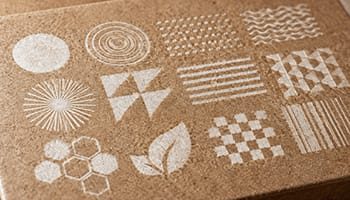
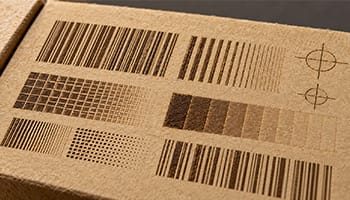
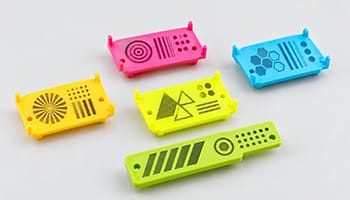
Application of Laser Marking Machines
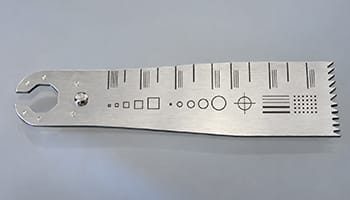
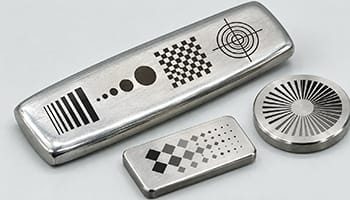
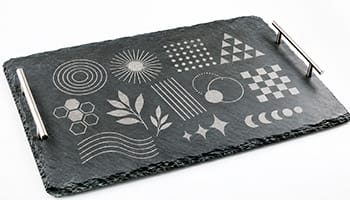
Why Choose Us
Precision Engineering
Our machines deliver ultra-fine marking and engraving with high-speed galvanometer systems and stable laser sources for consistent, reliable output.
Wide Material Compatibility
We offer different laser types to match your needs, ensuring crisp, permanent marks on metal, plastic, wood, leather, and more.
User-Friendly Software
Intuitive control software allows easy setup, flexible design import, and precise marking even for first-time users.
Customizable Solutions
We provide machine options tailored to your product size, line speed, and marking content for seamless integration.
Low Maintenance
Our systems run cleanly with no inks or chemicals, lowering long-term operating costs and environmental impact.
Dedicated Support and Service
Faster Laser offers professional training, remote troubleshooting, and responsive service to keep your production running smoothly.
Laser Marking Machines VS Other Marking Machines
| Comparison Item | Laser Marking Machine | Dot Peen Marking Machine | Inkjet Printing Machine | Stamping Machine |
|---|---|---|---|---|
| Marking Method | Focused laser beam | Mechanical pin striking | Ink droplets sprayed onto surface | Mechanical force using a die |
| Marking Speed | Fast | Moderate | Very fast | Fast |
| Marking Precision | Very high | Moderate | Moderate | Low to moderate |
| Surface Damage Risk | None (non-contact) | High (physical impact) | None | High (indentation) |
| Marking Durability | Permanent, high resistance | Permanent but shallow | Temporary, can fade | Permanent |
| Material Compatibility | Metals, plastics, ceramics, glass, leather | Mostly metals | Paper, plastic, some metals | Mostly metals and hard materials |
| Maintenance Requirements | Low | Moderate | High (ink refills, nozzle cleaning) | High (die wear and replacement) |
| Operating Cost | Low (no consumables) | Low | High (inks, solvents) | Moderate (tooling costs) |
| Environmental Impact | Minimal, no chemicals | Low | High (chemical inks, VOCs) | Moderate |
| Noise Level | Low | High (mechanical noise) | Low | High |
| Software Integration | Excellent, supports automation and databases | Limited | Good | Very limited |
| Marking Flexibility | High (fonts, graphics, serials, QR codes) | Low to moderate | High | Low |
| Setup Time | Short | Moderate | Short | Long (custom dies needed) |
| Consumables Required | None | No | Yes (ink, solvents) | Yes (dies) |
| Typical Applications | Automotive, electronics, medical, tools, packaging | Steel parts, nameplates, VINs | Packaging, date codes, labels | Coining, branding, heavy metal part marking |
Customer Testimonials
Related Resources
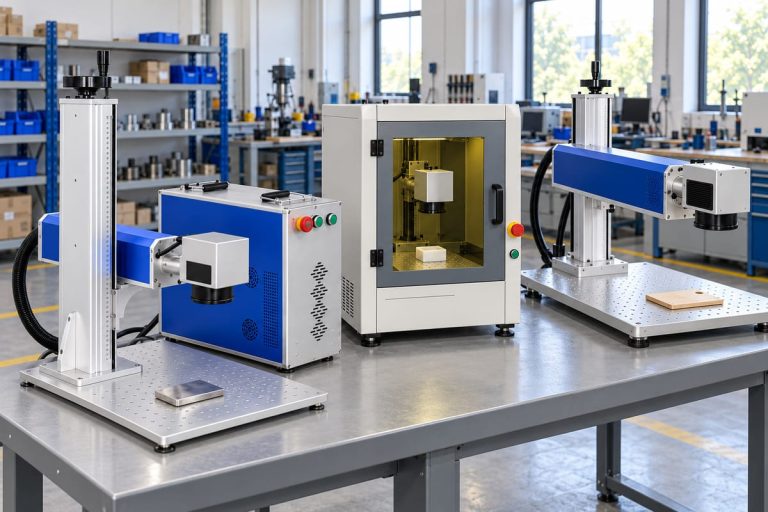
What Are The Different Types Of Laser Marking Machines
This article provides an overview of laser marking machine types, covering fiber, CO2, UV, green, and ultrafast systems, as well as applications, features, selection factors, and practical applications in manufacturing.
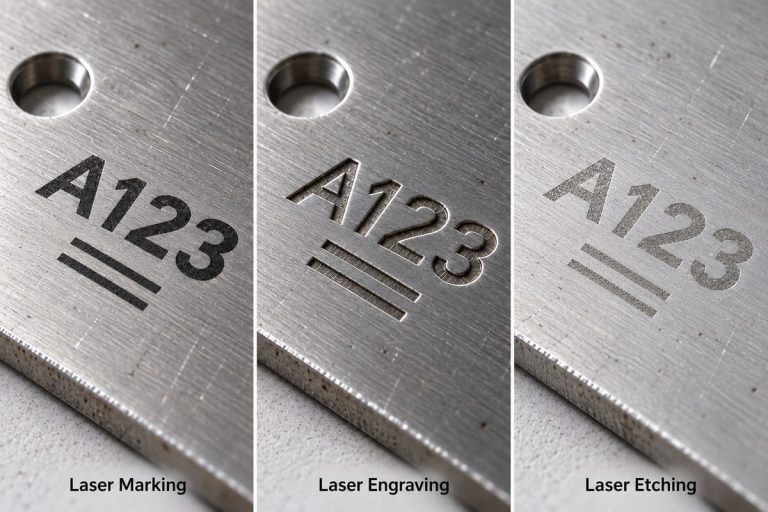
Laser Marking VS Laser Engraving VS Laser Etching
This article explores laser marking, laser engraving, and laser etching, covering processes, materials, applications, quality control, costs, and selection criteria.
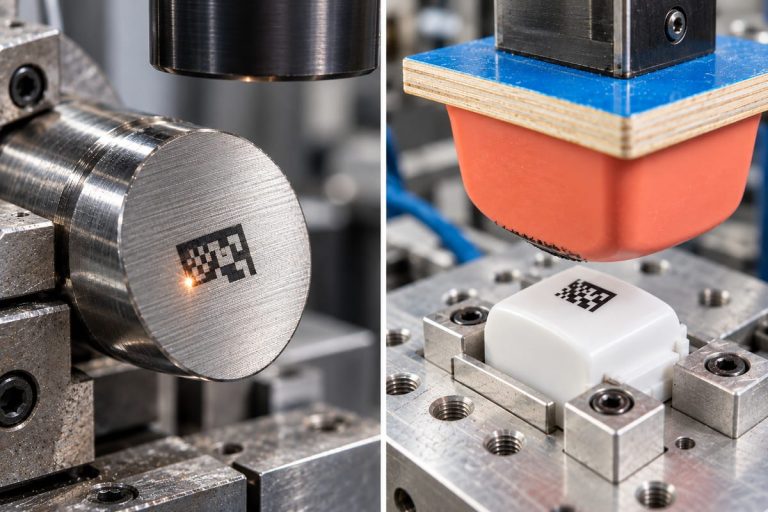
Laser Marking VS Pad Printing
This article explores the key differences between laser marking and pad printing, comparing their precision, durability, cost, material compatibility, and suitability for various applications.
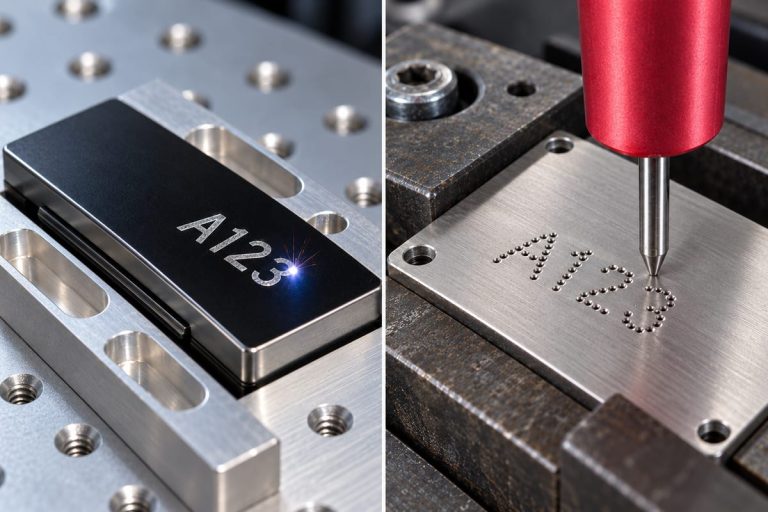
Laser Marking VS Dot Peen Marking
This article provides a comprehensive comparison of laser marking and dot matrix marking, explaining their principles, capabilities, applications, costs, and key factors for choosing the appropriate method.
Frequently Asked Questions
What Are Laser Marking Machines?
Laser marking machines are computer-controlled systems that use focused laser beams to create lasting marks on products and components. These marks can include text, logos, serial numbers, barcodes, and identification codes. Here are the main features that explain what these machines are and how they work:
- Working Principle: A laser beam delivers controlled energy to a small area of the material. Depending on the settings and material, it changes the surface color, removes a coating, or engraves a depression. Scanning mirrors commonly guide the beam to reproduce the programmed design.
- Main Components: The typical machine includes a laser source, scanning head, focusing lens, controller, and marking software. Complete workstations also incorporate part fixtures, a protective enclosure, and fume extraction. Optional accessories include rotary devices for cylindrical objects and cameras for positioning.
- Common Laser Types: Fiber laser marking machines are widely used for metals and certain plastics. CO laser marking systems suit wood, paper, leather, and selected other nonmetals. UV lasers are useful for fine marking on many plastics and sensitive components, although they still require careful control of energy input.
- Compatible Materials: Depending on the laser technology, these machines can mark stainless steel, aluminum, titanium, engineering plastics, glass, ceramics, and coated surfaces. Material composition, additives, finish, and laser wavelength affect the result. No single machine provides the same performance on every material.
- Typical Applications: Manufacturers use laser marking for product identification, batch tracking, branding, and traceability. Common examples include automotive components, electronic housings, surgical instruments, industrial tools, and packaging. Decorative applications include personalized jewelry, promotional products, and customized household items.
- Software and Automation: Marking software allows operators to import artwork, enter text, generate codes, and adjust processing parameters. Systems can automatically update serial numbers or production dates. Depending on their configuration, machines can connect with databases, conveyors, robots, and inspection equipment.
- Main Advantages: Laser marking offers precise detail, repeatable results, and processing without physical tool pressure. Many applications require no marking ink or adhesive labels. Properly developed marks can resist handling, cleaning, and wear, although their durability depends on the material, marking method, and service conditions.
- Operating Requirements: Reliable operation requires suitable settings, accurate focusing, stable positioning, and confirmed material compatibility. Protective enclosures, interlocks, appropriate fume extraction, and operator training help manage exposure and emissions. Sample testing establishes whether the required contrast, depth, readability, and production speed are achievable.
Laser marking machines provide flexible solutions for identification and decoration across many industries. Their effectiveness depends on matching the laser source, machine configuration, and marking process to the actual application.
How Do I Determine Which Laser Marking Machines Are Right For My Material?
Choosing the right laser marking machine starts with identifying your exact material and defining the result you need. Different laser wavelengths and pulse characteristics produce different effects, even on materials with similar names. Here are the main factors to evaluate:
- Identify the Exact Material: Confirm the metal alloy, plastic grade, coating, color, and surface finish. For plastics, pigments, fillers, and flame retardants can change laser absorption significantly. Obtain material specifications and safety information before arranging trials.
- Metals and Alloys: Fiber lasers are a common starting point for stainless steel, carbon steel, aluminum, and titanium. Establish whether you need surface contrast, oxidation marking, or deep engraving. Reflective metals such as copper and brass require application-specific testing and may justify comparing alternative wavelengths.
- Plastics: UV lasers are often suitable for fine, high-contrast marking with limited heat effects. Fiber lasers can mark many formulated or pigmented plastics, while CO2 laser marking systems suit selected polymers. Test the actual resin and color because results vary with additives and composition.
- Wood, Paper, Leather, and Rubber: CO2 lasers are commonly considered for these materials. Confirm that the desired contrast is achievable without excessive charring or surface damage. Leather treatments, adhesives, and rubber formulations must be checked for processing compatibility and hazardous emissions.
- Glass and Ceramics: Compare CO2 and UV laser marking systems according to the required appearance and material composition. Suitability varies with the glass formulation, ceramic type, and surface glaze. Evaluate fine detail, cracking, chipping, and any effect on the finished product’s strength.
- Coated and Anodized Surfaces: Decide whether the laser should remove a coating, change its color, or mark the underlying substrate. Coating thickness and consistency influence the settings. Confirm that marking preserves any required corrosion protection or other surface function.
- Marking Requirements: Specify character size, code dimensions, contrast, engraving depth, and acceptable surface changes. The decorative logo and a machine-readable traceability code can require different processes. Include resistance to abrasion, chemicals, cleaning, and sterilization where relevant.
- Machine Configuration: Check pulse control, spot size, marking area, focusing capability, and fixtures. Curved parts may require a rotary attachment or three-dimensional focus control. Compare complete cycle times, including loading and inspection; higher average power alone does not establish suitability.
- Representative Sample Testing: Ask suppliers to mark your actual production parts across expected material and finish variations. Inspect readability, surface damage, and durability under realistic use conditions. Request documented settings and cycle times, then confirm that results remain consistent across multiple samples.
- Safety and Practical Costs: Include an appropriate enclosure, interlocks, fume extraction, training, maintenance, and support in the evaluation. Review the full installed cost and operating requirements alongside the marking results.
The right machine is the one that repeatedly meets your material, quality, safety, and production requirements. Use laser-type guidance to build a shortlist, then base the final decision on verified sample results.
What Laser Power Options Are Available For Laser Marking Machines?
Laser marking machines offer several power options to suit different materials, marking depths, and production speeds. The configurations below range from 3W UV laser marking systems to 300W MOPA laser marking systems. Here are the available ratings and their typical applications:
- Fiber Laser Marking Machines: Available options include 20W, 30W, 50W, 60W, 70W, and 100W. These machines are widely used for marking metals and selected plastics. The 20W and 30W options can suit serial numbers, logos, barcodes, and shallow marking. Higher-power configurations provide additional capacity for faster processing or deeper engraving when the material, pulse characteristics, and optics support it. Actual engraving depth depends on processing time and settings.
- CO2 Laser Marking Machines: Available options include 30W, 60W, 100W, and 150W. These systems are commonly used for wood, paper, leather, rubber, and suitable plastics. The 30W system can handle many identification and decorative marking tasks. The 60W, 100W, and 150W options provide greater processing capacity for demanding engraving or production applications. Higher power requires appropriate speed and energy control to manage charring, melting, or other unwanted surface changes.
- UV Laser Marking Machines: Available options include 3W, 5W, 10W, 12W, and 15W. UV laser marking systems are often selected for fine details, small codes, plastics, glass, and sensitive components. The 3W and 5W options can meet many precision marking requirements, while higher-power versions may improve throughput where additional energy can be used safely. Evaluate UV power alongside material absorption, pulse characteristics, and focused spot size to determine achievable quality and speed.
- MOPA Laser Marking Machines: Available options include 20W, 30W, 60W, 100W, 200W, and 300W. MOPA laser marking systems are a type of pulsed fiber laser, with flexible pulse control that helps tailor the interaction with the material. Lower-power options can suit detailed surface marking, while higher-power models provide capacity for faster engraving and material removal. Certain configurations support color marking on suitable metals, but color quality and repeatability require testing and cannot be guaranteed by wattage.
- Understanding Power Ratings: The stated wattage normally describes rated optical output. For pulsed sources, the rating refers to average output; peak power during individual pulses can be much higher. Pulse duration, repetition rate, pulse energy, and beam quality also affect performance.
- Choosing a Suitable Power: Compare sample results at the required quality and cycle time. Include material compatibility, marking area, depth, cooling requirements, extraction, and operating costs. The higher-power machine is worthwhile when its additional capacity benefits the actual process.
The best power option consistently delivers the required mark without unacceptable material damage. Confirm performance using representative samples before selecting the final machine configuration.
Is The Laser Marking Resistant To Solvents And Abrasion?
Yes, laser marking can offer strong resistance to solvents and abrasion because many marking processes modify the material itself. However, durability depends on the substrate, marking method, processing quality, and exposure conditions. Here are the main factors that determine how well a mark will last:
- Engraved Metal Marks: Laser engraving removes material to create recessed characters or patterns. Adequately deep marks can withstand substantial handling and abrasion, and compatible cleaning solvents generally leave the engraved geometry intact. Heavy grinding, aggressive polishing, or chemical attack on the metal can still damage or erase them.
- Annealed and Oxidation Marks: These processes create contrast through changes in the metal’s surface chemistry. Properly developed marks can withstand normal handling and compatible cleaning procedures. Their durability depends on the alloy and process, and polishing or chemicals that alter the oxide layer can reduce visibility.
- Color-Changed Plastics: Laser-induced color changes can provide durable identification without an applied ink layer. However, the plastic must also tolerate the cleaning agent. The solvent that causes swelling, softening, cracking, or dissolution can damage both the component and its marking, regardless of initial marking quality.
- Foamed Plastic Marks: Foaming creates a light-colored mark through small bubbles and surface changes. The resulting structure may be raised and comparatively vulnerable to scratching. Applications involving frequent rubbing or abrasive cleaning need careful testing, even when the initial contrast is excellent.
- Coated and Anodized Surfaces: Marking may remove a coating, alter its color, or expose a contrasting layer underneath. Durability depends on the remaining coating and underlying material. Because contrast relies on these layers, solvents that dissolve paint or abrasion that removes the surrounding finish can undermine identification.
- Solvent Exposure Conditions: Resistance must be evaluated against the actual solvent, mixture, concentration, temperature, and contact time. Occasional wiping and prolonged immersion impose different demands. Confirm chemical compatibility for the finished marked part, including any coatings or protective treatments.
- Abrasion Conditions: Wear depends on contact pressure, rubbing frequency, abrasive particles, and the contacting material. The mark that survives ordinary handling may perform differently under sliding contact, abrasive pads, or blasting. Select the marking depth and method for the expected service conditions.
- Verification Testing: Test representative production samples using realistic cleaning and wear cycles. Inspect contrast, surface damage, and continued readability afterward. For barcodes and Data Matrix codes, check machine readability against the specified acceptance requirements. Document the material, laser settings, test conditions, and results.
Laser marking can provide long-lasting identification in demanding environments, but it is not universally solvent-proof or abrasion-proof. Match the process to the material and confirm durability through application-specific testing.
Does Laser Marking Produce Fumes?
Yes. Laser marking can produce smoke, fine particles, gases, and vapors when the beam heats, removes, or chemically changes a surface. The amount and composition depend on the material, coatings, marking method, and processing settings. Here are the main sources and control considerations:
- Metals and Alloys: Engraving and other material-removal processes can release fine metal-containing particles and metal oxides. Their composition depends on the alloy and surface treatment. Small markings can still generate airborne contamination, particularly during repeated production cycles, so exposure should be assessed for the actual process.
- Plastics and Rubber: These materials can release volatile organic compounds, decomposition gases, smoke, and fine particles. Pigments, fillers, flame retardants, and other additives affect the emissions. PVC can generate corrosive hydrogen chloride; do not process it on a general-purpose marker without an explicitly approved application and suitable controls.
- Paints, Coatings, and Surface Residues: Removing paint, plating, protective films, adhesives, or surface contamination can produce emissions different from those of the base material. The metal component’s coating or oily residue may be an important emission source. Identify every layer before selecting the marking process and extraction system.
- Wood, Paper, and Leather: Marking organic materials can generate smoke, soot, vapors, and odors. Engineered wood, treated leather, printed paper, and laminated products introduce additional substances from binders, finishes, and adhesives. Verify the complete material composition and use suitable extraction for the application.
- Marking Method and Settings: Deep engraving and coating removal generally release more material than processes that mainly change surface color. Annealing may generate relatively little contamination on a clean surface. However, UV marking and processes described as “cold marking” still require an emissions assessment.
- Extraction at the Source: Capture emissions close to the marking area using an appropriately designed local exhaust ventilation system. An enclosure connected to extraction can help contain contaminants. Required airflow depends on the opening, capture arrangement, process, and ducting. General room ventilation provides supplementary control.
- Particle and Gas Filtration: Suitable particulate filters, including HEPA stages where specified, capture fine airborne particles. Gases and vapors require appropriately selected gas-phase filtration or another treatment method. Activated carbon has application-specific limitations. Return filtered air indoors only when the system and assessment establish that this is suitable.
- Monitoring and Maintenance: Check extraction performance, airflow indicators, duct connections, and filter condition. Replace filters according to the system’s requirements and handle collected residues appropriately. Visible smoke and odor are unreliable measures of exposure; some contaminants are invisible or have little detectable smell.
Laser marking emissions can be controlled through material selection, suitable processing, effective source capture, and maintained extraction equipment. Confirm the controls using the actual materials and production conditions.
How Is The Cooling Of Laser Marking Machines Performed?
Laser marking machines are cooled by transferring waste heat away from the laser source and associated electronics. Effective cooling helps maintain stable output, consistent marking quality, and reliable operation. The cooling method depends on the laser design, heat load, and operating environment:
- Air Cooling: Heat passes from internal components into heat sinks, and fans move surrounding air across them. Warm air is discharged through ventilation openings. This arrangement is compact and avoids a circulating coolant system, but it requires adequate clearance, clean airflow, and suitable room temperatures.
- Water Cooling: The pump circulates coolant through the laser’s cooling channels or a connected cold plate. The warmed coolant returns to a heat exchanger or refrigerated chiller, which removes the heat before recirculation. Refrigerated chillers provide controlled cooling when ambient heat exchange alone cannot meet the equipment’s requirements.
- Fiber and MOPA Laser Marking Machines: Many compact fiber and MOPA laser marking systems use air cooling. Some modules transfer heat through their mounting surface and require an appropriately designed heat sink. Higher-output systems may use air or water cooling, depending on the source. Select cooling according to the source specifications and permitted operating conditions.
- CO2 Laser Marking Machines: Cooling varies with the source construction. Many glass-tube CO2 lasers require circulating water, while RF-excited metal or ceramic sources can be air-cooled or liquid-cooled. The required coolant flow, temperature, and heat-removal capacity must match the particular laser model.
- UV Laser Marking Machines: Many UV laser marking systems use temperature-controlled water cooling to stabilize the laser head and support consistent performance. Compact air-cooled UV laser sources are also available. Even relatively low-output UV laser marking machines can require a chiller, so cooling should be selected from the source specifications.
- Temperature and Condensation Control: Use the manufacturer’s specified operating temperatures and temperature-stability requirements. Cooling exposed surfaces below the surrounding air’s dew point can cause condensation. Control room humidity and coolant temperature together while keeping the laser within its approved operating limits.
- Coolant and Circulation: Use the approved water quality or coolant formulation, often distilled or deionized water where specified. Inspect coolant level, hoses, connections, and filters. Maintain the required flow and pressure, and replace coolant according to the maintenance instructions. Use additives only when approved.
- Installation, Monitoring, and Maintenance: Keep machine vents, heat sinks, and chiller condensers clean and unobstructed. Provide space for heat discharge and prevent hot exhaust from recirculating into cooling inlets. Where fitted, temperature sensors and flow alarms should stop laser emission when cooling conditions become unsuitable. Investigate alarms before restarting.
Laser marking machines use cooling systems matched to their source design and operating conditions. Correct installation, stable temperatures, and routine maintenance help the machine sustain reliable marking performance throughout production.
Do I Need Laser Safety Glasses To Operate Laser Marking Machines?
Laser safety glasses are needed whenever hazardous laser radiation could reach your eyes. Whether you need them depends on the complete machine’s classification, protective enclosure, operating conditions, and task. Here are the main situations and factors to consider:
- Fully Enclosed Class 1 Machines: The properly classified Class 1 machine generally does not require laser safety glasses during normal operation with its enclosure closed, protective viewing window intact, and interlocks functioning. Confirm the machine’s classification and follow its operating instructions and workplace safety assessment.
- Open Class 4 Machines: Open laser marking systems commonly expose hazardous Class 4 radiation. Operators and anyone else within the assessed laser hazard zone need appropriately selected laser eyewear, together with controlled access and engineering safeguards. The safe boundary must be established through a hazard assessment.
- Wavelength Compatibility: Eyewear must protect against the actual emitted wavelengths. Fiber and MOPA laser marking machines commonly operate near 1064 nm, UV laser marking machines often use 355 nm, and CO2 laser marking machines commonly use 10.6 µm, with other wavelengths available. Check the source specifications and the eyewear’s documented protection ranges.
- Optical Density and Exposure Ratings: The required optical density, or OD, depends on wavelength, power or pulse energy, beam characteristics, and possible exposure duration. Pulsed systems also require protection appropriate to their pulse conditions. Have a laser safety officer or qualified specialist determine the necessary ratings.
- Ordinary Glasses and Lens Color: Prescription glasses, sunglasses, ordinary impact goggles, and standard welding filters should never be assumed to provide suitable laser protection. Dark lenses do not establish protection. Select eyewear using verified wavelength and protection markings, supported by reliable manufacturer documentation.
- Reflections and Invisible Beams: Eye exposure can come from reflected radiation as well as the direct beam. Shiny metal parts can redirect radiation, and Class 4 sources can also produce hazardous diffuse reflections. Infrared and ultraviolet marking beams are invisible, so apparent brightness cannot establish safety.
- Maintenance and Alignment: Opening protective housings or accessing the beam during servicing can expose a higher-class laser inside a Class 1 machine. Such work requires trained, authorized personnel and a specific procedure. Eyewear requirements must be reassessed for the task. Keep operational safety interlocks functional.
- Fit, Condition, and Safe Use: Choose eyewear with suitable coverage, a secure fit, and compatibility with prescription lenses where needed. Inspect filters and frames before use, and replace damaged protection. Laser eyewear supplements beam containment and other controls; never deliberately look into a beam through it.
Laser safety glasses are essential where hazardous eye exposure remains possible. For normal use of a verified Class 1 enclosed marker, follow the documented requirements; for exposed-beam work, obtain a qualified assessment and correctly rated protection.
What File Formats Do Laser Marking Machines Support?
Laser marking machines commonly support vector drawings, bitmap images, and production data files. Exact compatibility depends on the marking software, controller, and software version installed on the machine. Here are the main formats you may encounter and how they are used:
- DXF and PLT Files: DXF is widely used to transfer CAD outlines, technical drawings, and dimensioned shapes. PLT, often based on HPGL plotter instructions, is commonly used for line artwork. Both can provide paths for outlines and filled marking patterns, although imported geometry should be checked for scale and completeness.
- AI and SVG Files: Adobe Illustrator AI and Scalable Vector Graphics SVG files are supported by many marking programs, including suitable versions of EZCAD and LightBurn. These formats are useful for logos, symbols, and detailed artwork. Convert text to outlines when necessary and confirm that the exported file version is compatible.
- PDF Files: Some platforms, such as LightBurn, import PDF artwork directly, while other workflows use conversion software. A PDF may contain vectors, bitmap images, or both. Check which elements survive import, particularly fonts, clipping masks, embedded images, and complex effects, before preparing the marking job.
- BMP, JPG, JPEG, and PNG Images: These widely supported bitmap formats are used for photographs, shaded designs, and image-based logos. The software processes pixels using available image-marking settings, which may include grayscale adjustment or dithering. Image resolution, contrast, and the final physical size strongly influence the result.
- TIFF, GIF, and TGA Images: Additional bitmap formats are available in some software packages. EZCAD, for example, lists TIF, TIFF, GIF, and TGA support. Compatibility varies between programs. Use a clear source image and check the preview for unexpected backgrounds, transparency handling, or lost detail.
- TXT, CSV, and Spreadsheet Data: Certain programs read external data to generate changing names, serial numbers, dates, or codes. EZCAD supports TXT files and Excel-based variable text, while LightBurn supports CSV merging. These files supply marking content; the layout and processing parameters are configured separately in the software.
- Native Project Files: Marking programs also save their own editable job formats, such as EZCAD’s EZD files and LightBurn’s LBRN2 files. These can retain artwork, positioning, and job settings. Compatibility between different programs is limited, and saved settings must be checked before reuse on another machine.
- Other Design Formats: Files such as CDR, DWG, EPS, or PSD may require export or conversion into a supported format. Check the exact import list before sending artwork. Merely changing a filename extension does not convert the file’s contents.
For reliable results, confirm compatibility with the installed software, import a representative file, verify dimensions and artwork, and test the marking settings on a suitable sample.